The steering wheel and the stalks behind it carry the controls you use most while moving. Learning them while parked makes the first drive in an unfamiliar car calmer. This page describes common groupings; your vehicle's controls overview diagram is the final word.
- System
- Wheel spokes, column stalks, paddles
- Purpose
- Operate features without releasing the wheel
- Manual check
- Controls overview and instruments chapter
The usual layout logic
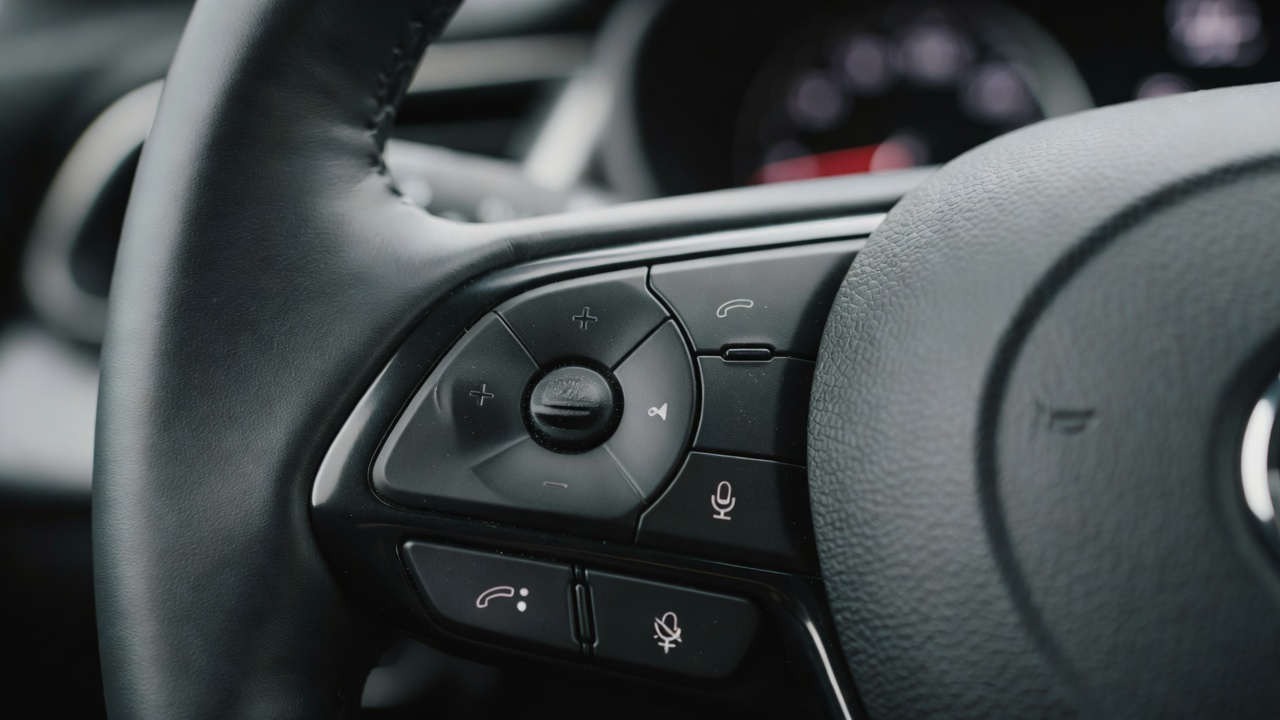
Most modern wheels split controls between the two spokes. One side commonly handles media and phone, the other handles cruise control and driver-assistance settings, with a scroll wheel or directional pad for the instrument display. Some brands reverse this, some place display controls on both sides, and some use touch-sensitive surfaces instead of physical keys. Before driving, sit in the car and press each control while watching the display to see what responds.
Audio, phone and voice
Volume is typically a rocker, roller or plus/minus pair. Track or station skip uses arrows. A handset symbol answers or ends calls once your phone is paired, and a speech-bubble or face icon starts voice control, which may route to the car's own assistant or to Apple CarPlay or Android Auto when connected. A mute or source button may also appear. Pairing steps and supported phones are model-specific, so check the infotainment section of your manual.
Cruise control and speed limiting
Conventional cruise control holds a set speed; adaptive cruise control additionally adjusts speed to keep a gap to the vehicle ahead. Typical controls include an on/off or standby button, SET to capture current speed, RES to resume a stored speed, plus and minus to adjust, and CANCEL. Pressing the brake usually cancels too. A button showing a car with bars normally sets the following distance for adaptive systems.
Many cars also offer a speed limiter, sometimes on the same buttons, which caps your speed rather than holding it. Confusing the two is easy in a rental car, so confirm on the display which function is active.
Why does adaptive cruise behave differently in my car?
Systems vary in how they handle stop-and-go traffic, curves, speed-limit recognition and resuming after a stop. Some resume automatically after a short pause; others need a button press or a tap on the accelerator. Your manual lists the operating limits, including weather and sensor conditions.
Stalks: indicators, lights and wipers
Column stalks traditionally carry the turn indicators, headlight and high-beam controls on one side and the wipers and washers on the other. Many European-designed cars place indicators on the left stalk regardless of driving side, while some Japanese and Korean cars built for right-hand-drive markets place them on the right. That is why drivers sometimes switch on the wipers when they meant to indicate.
- Indicators: a light touch often gives three or more flashes for lane changes; full travel latches until the wheel straightens.
- High beam: pushing or pulling the stalk usually toggles or flashes; automatic high beam may be a separate setting.
- Wipers: positions typically include intermittent or AUTO, low and high, with a separate rear-wiper control on hatchbacks and SUVs.
Paddles, horn and heated wheel
Paddles behind the wheel select gears manually in automatic or dual-clutch transmissions; in some electric vehicles they adjust regenerative braking instead. The horn is normally on the central pad. A heated steering wheel may have its own button, a menu entry or a climate-screen shortcut. Euro NCAP has signalled that its assessments from 2026 will favour physical controls for core functions such as indicators, hazard lights, horn, wipers and the eCall SOS button.
Buttons that change function by context
Some wheels use the same key for different jobs depending on which display page is open, or a single "star" key you can assign. If a button seems to do nothing, check which screen is active and whether it has been customised.
Where a general guide stops
If a control is labelled differently from anything here, rely on your manual. If a steering-wheel control stops working, or if the horn, indicators or wipers fail, have the vehicle checked; these functions matter for safety and legality.